
State of charge accuracy and calibration
The Roamer SMART app provides an estimate of the current State Of Charge (SOC) of the battery. This SOC reading is just an estimate however and depending on how the battery has been used, this reading can drift out and show an inaccurate value. This is the same with all lithium battery BMS apps, and also with external battery monitors such as a Victron Smartshunt - it is therefore important to recognise when it is out of sync and what to do about it.
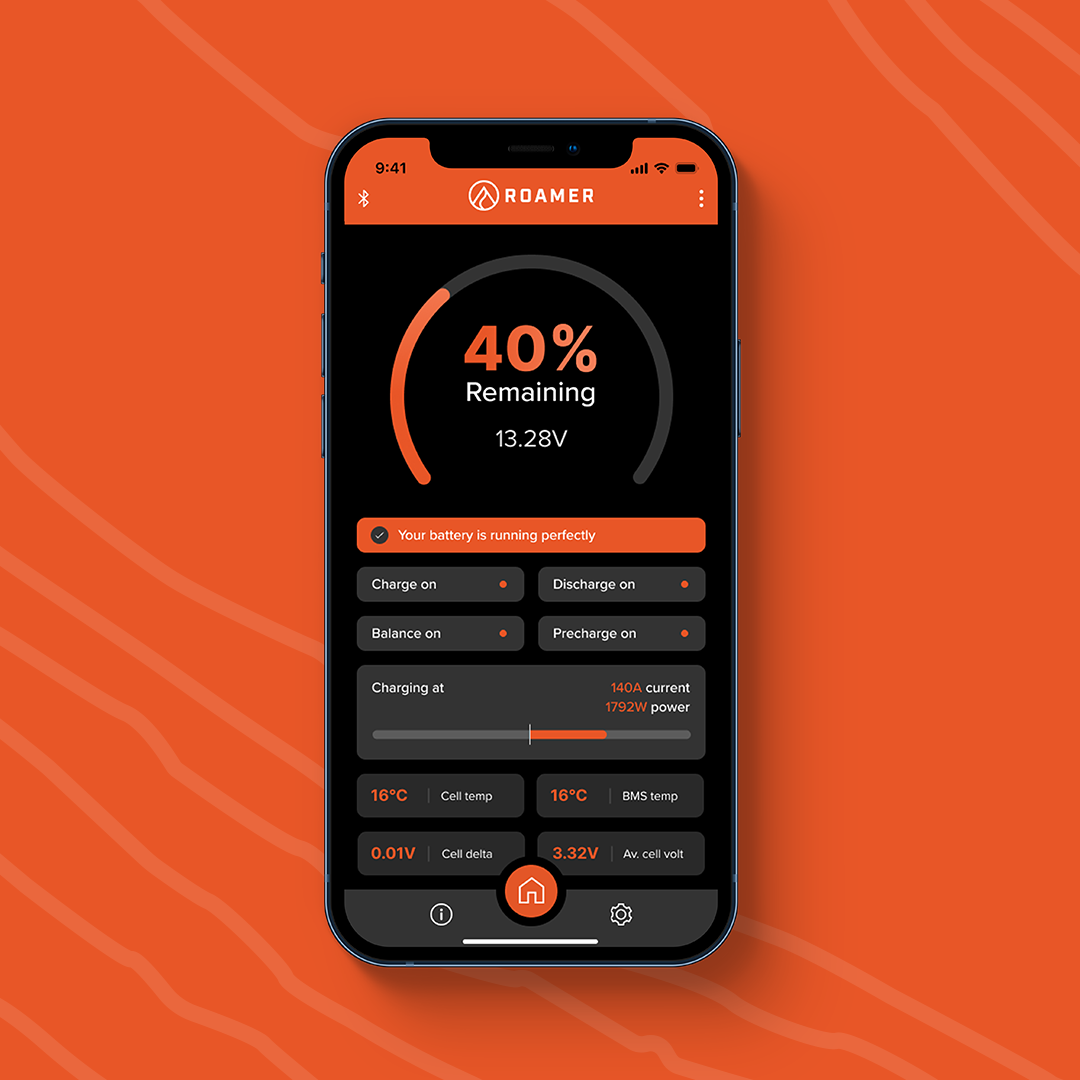
How does the BMS calculate the SOC value?
The BMS detects current flowing in and out of the battery, and uses this to calculate what is remaining in the battery. Battery charge is not like a fuel tank, there is no way to physically measure how many electrons are in the battery - this is therefore the best and only way to do it.
The SOC reading is kept accurate by regularly syncing the SOC. The app will sync to 100% when one cell reaches the high voltage calibration threshold (usually 3.55V) and it will also sync to 0% when one cell reaches the low voltage calibration threshold (2.70V). Sometimes you will see the app suddenly jump up to 100% from (for example) 60%. Or it can suddenly drop down to 0%. This is because of the voltage calibration.
Note that this state of charge reading in the app has no impact on the operation of the battery, it is purely for information. All BMS protections and functions are based on voltage, current and temperature. Unlike SOC (which is calculated) voltage, current and temperature are physical qualities of the battery and will always show true values.
What are the limitations?
SOC usually stays pretty accurate but over time, the SOC reading can drift out and it will show an incorrect value. As long as it charged to full regularly then it will correct itself but over winter, or during long periods of storage, it can sometimes go months without syncing.
The other limitation is that the BMS will only detect currents above 0.6A (about 7.5W). If you were to have a constant load of 0.5A, you would drain the battery but the SOC reading would not change. This is not usually relevant when the van is in use, as current is very rarely below 0.6A. This can be an issue in storage however, say you have a tracker or some other very low power monitoring system in place. If you have 24V or 48V batteries, and if you have multiple batteries in one system then this inaccuracy can be more obvious - say you have 4 x 24V batteries in parallel then the minimum detectable load would be 0.6A x 4 x 24V (58W).
How to recognise when it is not accurate?
While SOC in the BMS app is a calculated value and can be inaccurate, voltage is a physical property of the battery and can therefore be used as an approximate reference for SOC. Note how the voltage at 99% in the table below is very different to 100% but there is hardly any difference in voltage between 20% and 80%. Voltage is therefore more useful as a guide when the battery is nearly full, or nearly empty. For example, you can consider any resting voltage of 13.4V or above as being full. You can also consider anything below 12.8V to be very low and if you see this as a resting voltage, you should aim to recharge as soon as possible.
There are subtle differences in the voltages of different batteries so the below parameters are for reference only. The table below shows approximate SoC at different voltages for a single cell, a 12V battery and a 24V battery. With the exception of the first line, all voltages are ‘resting’ voltages i.e., after the battery has been sat without charging or discharging for 30 minutes.
State of Charge at 25ºC | Single Cell LiFePO4 (V) | 12V LiFePO4 (V) | 24V LiFePO4 (V) |
100% (charging) | 3.55 | 14.2 | 28.4 |
100% (resting) | 3.4 | 13.6 | 27.2 |
99% | 3.35 | 13.4 | 26.8 |
90% | 3.33 | 13.32 | 26.64 |
80% | 3.31 | 13.24 | 26.48 |
70% | 3.29 | 13.16 | 26.32 |
60% | 3.28 | 13.12 | 26.24 |
50% | 3.26 | 13.04 | 26.08 |
40% | 3.25 | 13.00 | 26.00 |
30% | 3.24 | 12.96 | 25.92 |
20% | 3.22 | 12.88 | 25.75 |
10% | 3.03 | 12.12 | 24.24 |
0% | 2.50 | 10.00 | 20.00 |
How can you sync the app?
If you think that the app is out of sync, all you need to do is charge the battery until one cell hits the high voltage calibration threshold (usually 3.55V) or discharge to the low voltage calibration threshold (2.70V). It will then sync to 100% or 0% accordingly. As long as you do this fairly regularly then the app will stay accurate.
Other options?
An external battery monitor (for example a Victron Smartshunt) maybe more appropriate in some scenarios - for example if you have a very low baseload drain, or you have multiple batteries in parallel. A Victron Smartshunt is able to detect loads over 0.1A on default settings so it will be better at picking up small currents than the BMS (although this can also be wrong so you should still use voltage as a reference). You can have both a Smartshunt and the Roamer to Victron GX CANbus integration in the same system, you would simply set the GX device so that the Smartshunt SOC reading is used for battery monitoring (the BMS data would still be visible but the SOC reading comes from the shunt).