
High Cell Voltage warnings on Victron Cerbo
This article will guide you through the process of amending your SMART4 BMS parameters and DVCC charge voltage settings to prevent High Cell Voltage warnings on a Victron GX device.
When one cell in your battery reaches the Overvoltage protection threshold, the BMS will block charging to prevent you from overcharging the battery. In the Roamer app you will see a message 'Battery Full' but Victron interprets this as a 'High Cell Voltage warning'. This is nothing to worry about, it is just one cell reaching 100% slightly ahead of the others. We have a powerful active balancer built into all of our SMART4 and SMART5 batteries so this will correct itself over time but in the meantime we recommend reducing charge voltage to prevent these warnings.
All you need to do is reduce the absorption charge voltage to 14.2V (it's ok to go down to 14.0V if it's still happening). You can turn it back later, or leave it at the lower level - both will work fine. You can do this individually on the chargers (just edit the absorption voltage in charger settings) or if all chargers are connected to the Cerbo, you can reduce the requested charge voltage using DVCC as per this guide (assuming all chargers are connected to and controlled by the Victron Cerbo).
Firstly, turn on DVCC, toggle on 'Limit managed battery charge voltage' and set this to 14.2V [28.4V]* (average cell voltage 3.55V).
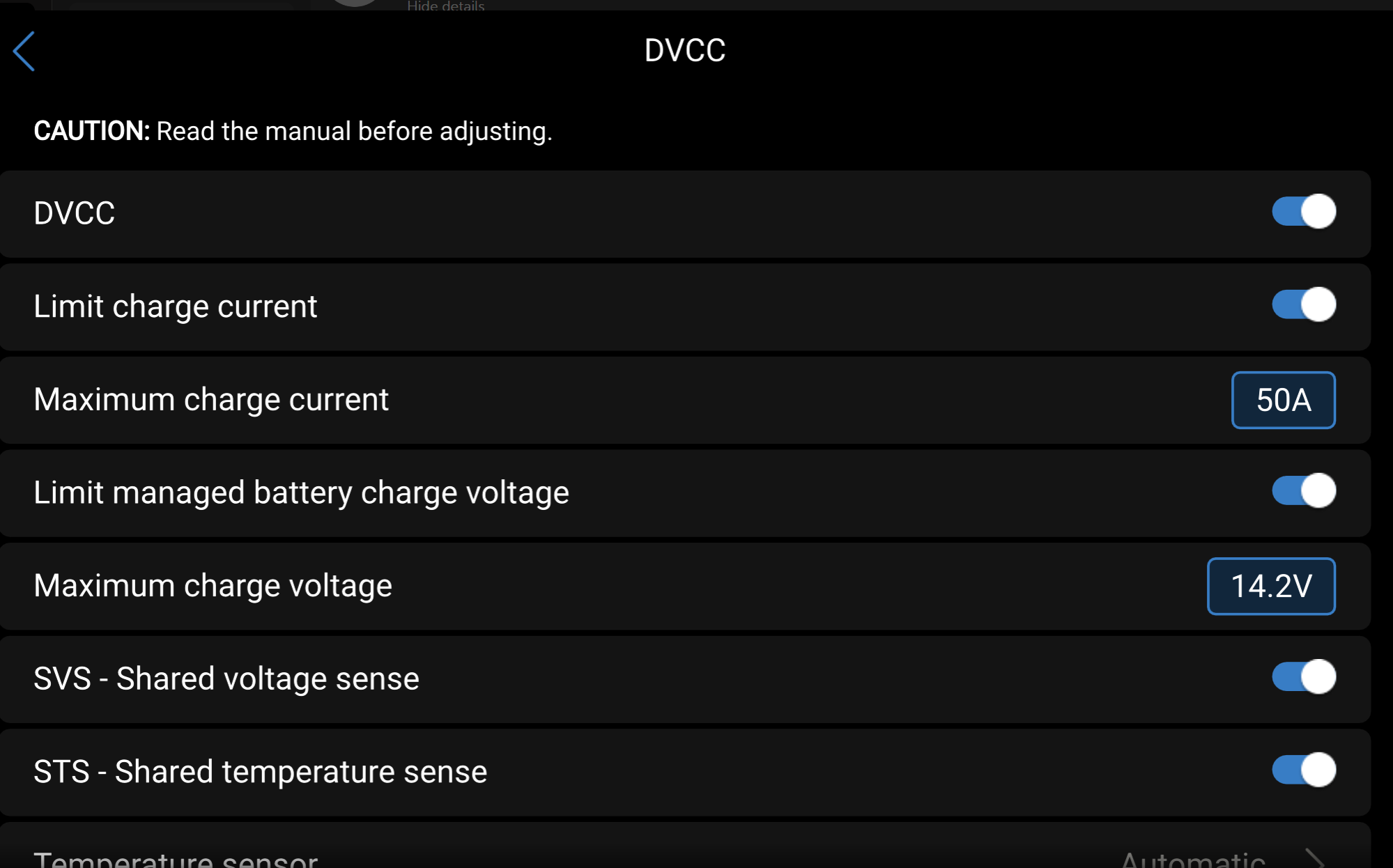
If the 'High Cell Voltage warning' stops, you can simply leave it like this and the Active Balancer will correct any further imbalance over time. If the warnings persist, the next step is to amend some BMS settings to increase the cell voltage limit. SMART5 batteries use the settings below as default from the factory and these are also suitable for SMART4 batteries.
Please use the Roamer app, connect to the battery, and go to the settings page. Enter code 638203 (or your custom password if this has been changed). Make the following changes in order, as they must be done sequentially or it will not work.
Change 100% SOC calibration to 3.525V.
Change absorption voltage to 3.550V.
Change overvoltage protect to 3.700V.
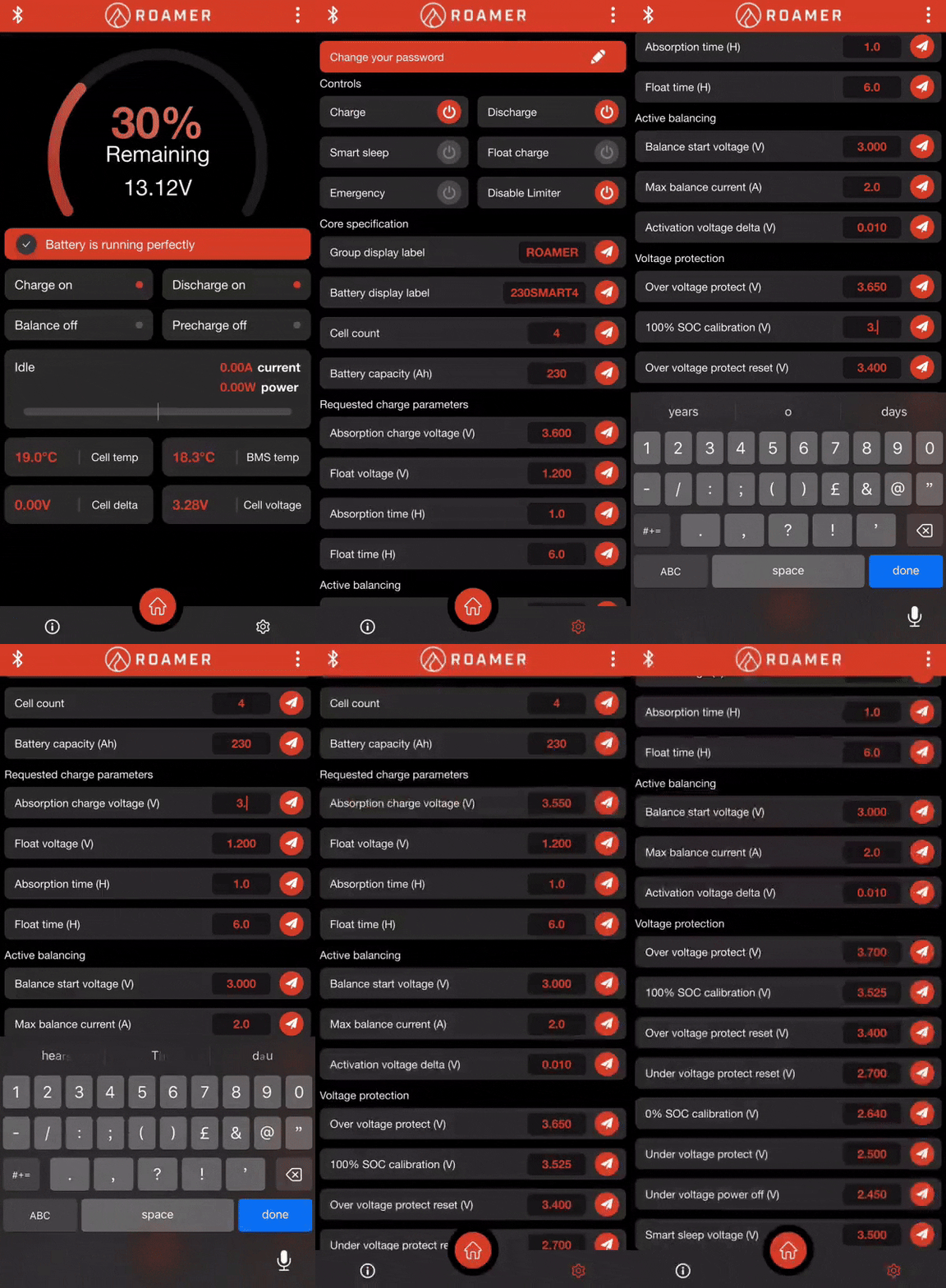
Make sure you send the settings after each change by pressing the paper aeroplane icon and accepting the warning message.
The next time you charge to 14.2V [28.4V]*, the battery will calibrate to 100% correctly, as it will now synchronise at 14.2 (3.55V per cell instead of 3.60V).
*[] = 24v batteries.